
Best Link in Bio Tools in 2026 (Free & Paid, Compared)
Your bio link isn't a directory — it's a landing page. Here's how the best link in bio tools in 2026 actually compare, and how to pick the right one for what you're trying to do. #linkinbio #creatoreconomy #instagrammarketing #tiktoktips #saas
Rishav Raj
Founder of Tolinks — building the fastest, fully-owned link-in-bio platform.
Instagram and TikTok still give you exactly one clickable spot in your bio. That single URL is where every story swipe-up, every TikTok comment, and every "check my bio" ends up — which is why the tool sitting behind that link matters more than most creators admit.
The market has split into two very different products wearing the same label. Some tools are still just a list of buttons. Others have quietly turned into full storefronts with payments, email capture, and booking pages built in. Picking the wrong category for your goals is the single most common mistake creators make here.
Why your link in bio tool is doing more work than you think
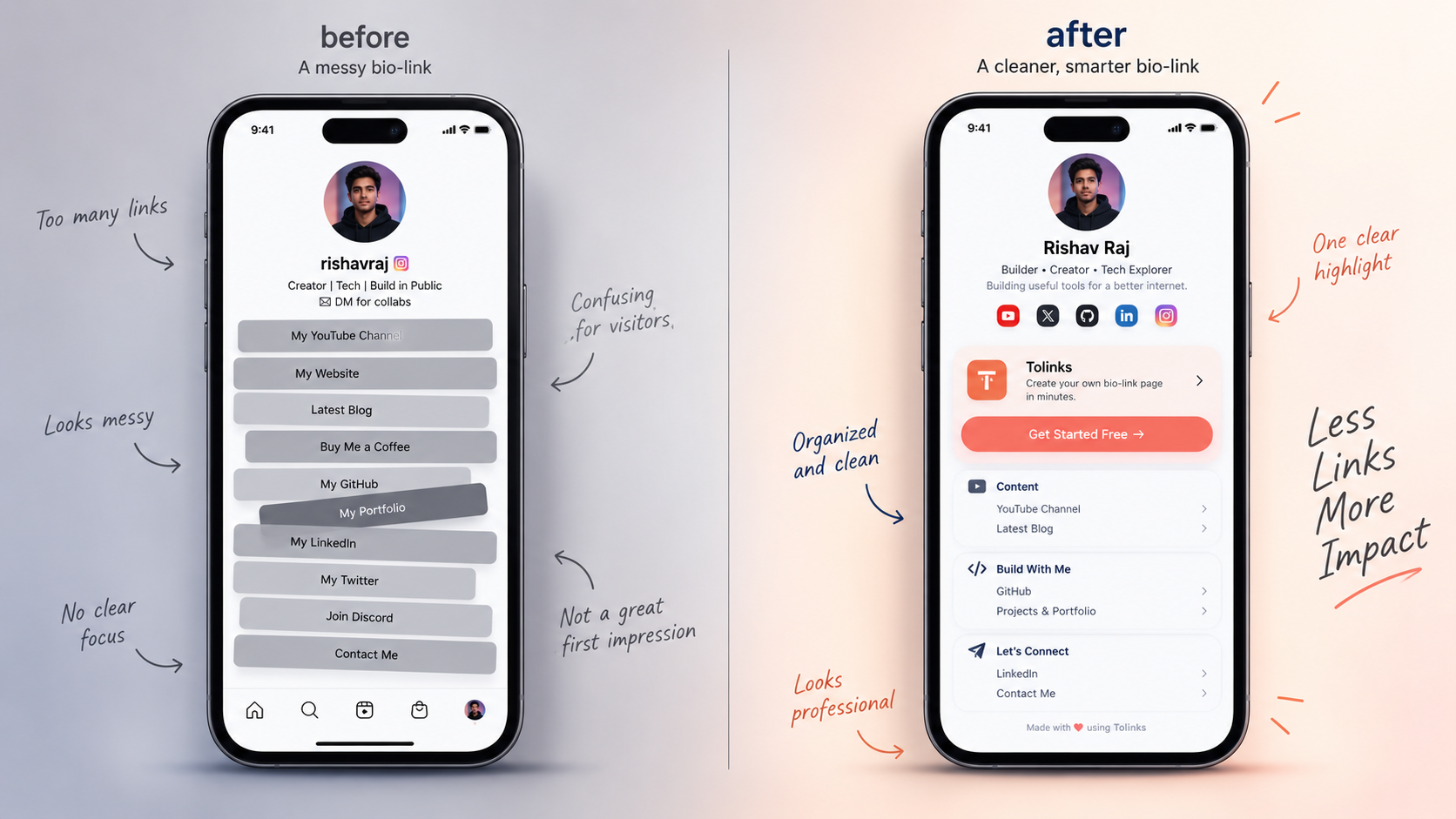
A bio link isn't a directory anymore — it's the handoff point between "I saw your content" and "I did something about it." If someone taps through and lands on a cluttered list of ten unlabeled links, most of them bounce before finding what they wanted.
That's the gap the newer tools are built to close. Instead of a flat list, they let you structure the page like a landing page: a featured product or link at the top, grouped sections below it, and built-in tracking so you can see what people actually click. The difference shows up directly in conversion, not just in how the page looks.
The tools worth comparing
Linktree is still the name most people default to, mostly out of habit. It's fast to set up and the free plan covers the basics. Where it falls short is customization and cost at scale — a custom domain runs close to $48 a year, and creators who want deeper analytics or advanced blocks get pushed into paid tiers quickly.
Beacons leans into monetization rather than just link organization. It bundles a storefront, email tools, and scheduling into one dashboard, which makes it a strong pick for creators actively trying to sell something from their page. The trade-off is that exporting your own analytics data isn't part of the free package.
Taplink consistently scores well in independent comparisons for one reason: content block variety. If you want a bio page that behaves more like a mini-website — booking forms, countdown timers, embedded feeds — Taplink covers more of that ground than most competitors in the same price range.
Stan Store and similar full-storefront tools take the concept furthest. They're built around the idea that your bio link should be a sales page, not a links page — product listings, checkout, and lead capture live directly on it. That's overkill if you just want to point people to five accounts, but it's the right tool if your bio link is your business.
Lnk.Bio and other minimal tools sit at the opposite end. A flat, clean list of links for a low one-time cost. No storefront, no automation, just a page that works.
Tolinks fits into this picture as the option for creators who want a page that's fast to set up and doesn't force them into a storefront they don't need. If your goal is a clean, working bio link today rather than a project to configure over a weekend, that's the lane it's built for.
What "link in bio website" searches are actually asking for
Search demand for phrases like "link in bio website" and "best link in bio" has climbed sharply this year, and it tracks with a real shift in behavior: creators aren't just asking "how do I add a link," they're asking "which page will actually convert." That's a different question than it was a few years ago, when "link in bio" mostly meant Linktree by default.
The rise in searches for "link in bio tool" specifically (rather than a branded name) also signals something — people are comparing options before committing, not just going with whatever their favorite creator uses. That's the audience a comparison like this one is written for.
How to actually choose
Work backward from what you want the click to do, not from a feature list:
- Just organizing links across platforms? A simple tool with a free plan covers it. Don't pay for a storefront you won't use.
- Trying to sell a product or course directly? Go with a tool that has checkout and payments built in, not one where you're linking out to a third-party store.
- Care about page speed and load time? Lighter tools load faster than heavy, widget-stacked ones — worth testing on your own phone before picking.
- Want your own branding, not the tool's? Check whether custom domain support is free or a paid add-on before you commit; it varies more than people expect.
Where this is heading
The tools that are winning right now aren't the ones with the most features — they're the ones that get out of the way fastest. Creators don't want to spend twenty minutes configuring a bio page; they want something that works in under five and doesn't look like everyone else's.
That's the direction the category keeps moving: less dashboard, more page that just does its job. If you're setting one up for the first time, start simple and only add complexity — a store, email capture, booking — once you actually need it.
Keep reading
Related posts

Want a corner of the internet like this?
A fast, beautiful link page that you fully own — live in under a minute.
Claim your page